Technical Guide

How Many Industrial Cameras Can One USB Hub Support?

Calculate bandwidth and transient current requirements with the Intel RealSense D435

Four D435 cameras bandwidth comparison on 10 Gbps vs 5 Gbps upstream links
Four D435 cameras use 49% of a 10 Gbps upstream link but 97% of a 5 Gbps upstream link

On a machine-vision workstation, "not enough ports" is usually the wrong problem. The issue that causes real trouble on site is this: the cameras connect and produce images, but the system stutters.

The live view freezes, point-cloud reconstruction cannot keep up with the production cycle, and frames are occasionally lost during storage. After troubleshooting, the same cause often appears: the hub does not have enough upstream bandwidth to share.

This article uses the Intel RealSense D435 stereo depth camera as the reference device and calculates how many industrial cameras one USB hub can support from two perspectives: bandwidth and transient current.

Set the Reference Device First: How Much Bandwidth Does Each D435 Need

The D435 is a typical stereo depth camera: two infrared cameras, one RGB color camera, and one depth stream. In production-line applications, it usually runs more than one stream at a time.

Using a full-load estimate (1280 × 720 at 30 fps depth Z16 + 1280 × 720 at 30 fps color YUYV + one 8-bit stream from each infrared camera):

StreamData per FrameFrame RateBandwidth
Depth Z161.84 MB30 fps55.3 MB/s
Color YUYV1.38 MB30 fps41.5 MB/s
Infrared × 2 (left and right)0.92 MB each30 fps55.3 MB/s

This is a calculated estimate, not a measured result. Actual usage changes with resolution, frame rate, and the streams enabled. The order of magnitude is enough to show the problem: one fully configured camera continuously consumes about 150 MB/s, close to 1.2 Gbps.

Multiple cameras scale by simple multiplication:

Camera CountTotal Data RateEquivalent Gbps5 Gbps Upstream Used10 Gbps Upstream Used
1 camera152 MB/s1.22 Gbps24%12%
2 cameras304 MB/s2.43 Gbps49%24%
3 cameras456 MB/s3.65 Gbps73%36%
5 cameras760 MB/s6.08 Gbps122% (over limit)61%
6 cameras912 MB/s7.30 Gbps146% (over limit)73%
Bandwidth usage comparison for 1 to 6 D435 cameras on 5 Gbps and 10 Gbps upstream links

The most important row in this table is the four-camera row.

Why Four D435 Cameras Can Stutter on a 5 Gbps USB Hub

First, one widely misunderstood fact needs to be clear:

A USB hub does not create bandwidth. It redistributes bandwidth.

A hub does not provide unlimited buffering, scheduling, or port isolation. At the physical layer, it forwards the signals it receives. All downstream ports share the same upstream link. Therefore, the idea that "I bought a 5 Gbps hub, so each of its seven ports is 5 Gbps" is incorrect. The rated speed of each port describes its capability when used alone. When multiple ports operate at the same time, they share one 5 Gbps channel.

The D435 example makes this clear:

5 Gbps upstream (one channel)
    |- Port 1 - D435  1.22 Gbps
    |- Port 2 - D435  1.22 Gbps
    |- Port 3 - D435  1.22 Gbps
    `- Port 4 - D435  1.22 Gbps
    -----------------------------
    Total 4.87 Gbps > 5 Gbps limit (97% used)

At full load, four cameras theoretically use 97% of the link. That leaves no margin for protocol overhead. In practice, USB 3.x usable bandwidth is usually only 85% to 90% of the rated value after packet headers, transaction scheduling, handshakes, and retransmissions. D435 uncompressed image data is also a poor fit for relying on short bursts.

The result is predictable: four D435 cameras on a 5 Gbps hub can power on and produce images, but the system is unstable. The mild outcome is dropped frames; the severe outcome is a complete loss of real-time performance.

With five or more cameras, the theoretical demand directly exceeds 5 Gbps. At that point, data loss is unavoidable.

What Changes When the Upstream Link Is 10 Gbps

The bandwidth solution is direct: increase the bandwidth of the upstream link.

Sipolar (Shenzhen Lpsen Technology Co., Ltd.) offers two relevant product tiers for this use case:

A-4C32M5 — 4-port USB 3.2 Gen 2 hub with 10 Gbps downstream bandwidth

This is the highest-speed tier in the current industrial USB hub range. The Type-C downstream ports use USB 3.2 Gen 2 with speeds up to 10 Gbps. Each port supports 5V/1A, and total system power is 20W or less. Power can be supplied directly through a wide DC 9-24V input or through a 5.08 mm terminal connected to a control cabinet. The aluminum extrusion enclosure measures 78 × 58 × 24 mm, includes mounting ears, and provides Level 4 ESD protection.

With four fully configured D435 cameras, a 10 Gbps upstream link uses only 49%, leaving substantial headroom:

10 Gbps upstream (one channel)
    |- Port 1 - D435  1.22 Gbps
    |- Port 2 - D435  1.22 Gbps
    |- Port 3 - D435  1.22 Gbps
    `- Port 4 - D435  1.22 Gbps
    ------------------------------
    Total 4.87 Gbps <= 10 Gbps limit (49% used)

Representative models in the 5 Gbps tier

A-4U30: 4-port USB 3.0 hub

A-4U30

Ports
4 USB-A ports
Speed
5 Gbps
Power
External independent power supply
Enclosure
Aluminum alloy
A-173: 7-port USB 3.0 hub

A-173

Ports
7 USB-A ports
Speed
5 Gbps
Power
DC 12V/3A, 1.3A per port
Enclosure
Cold-rolled steel 126.5 × 71 × 28 mm
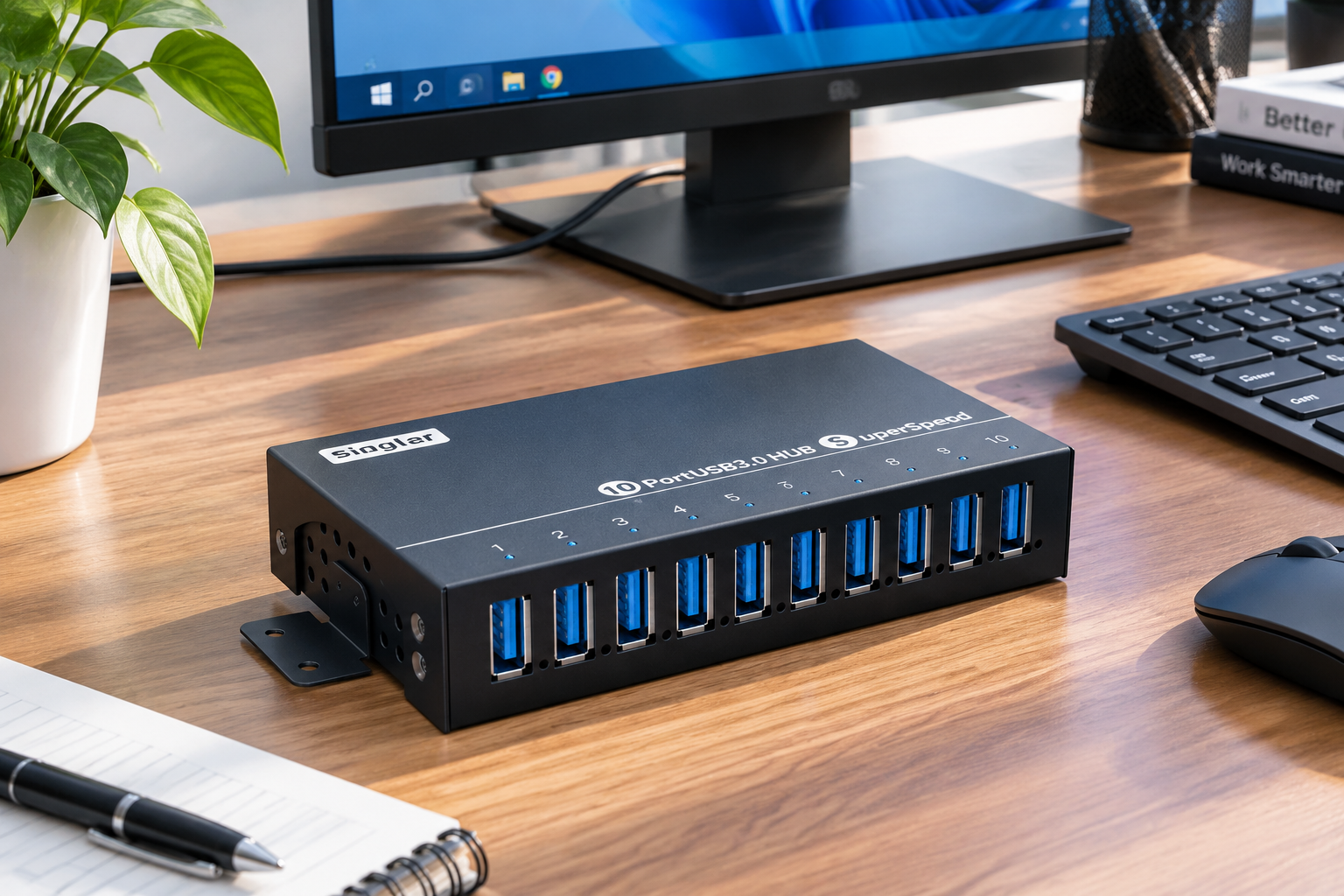
A-103: 10-port USB 3.0 hub

A-103

Ports
10 USB-A ports
Speed
5 Gbps
Power
DC 12V/5A, 1.5A per port, 1.3A under full load
Enclosure
Full metal with ventilation holes

These 5 Gbps models also have a clear role on multi-camera workstations:

Camera count ≤ 2

Or when the resolution and frame-rate configuration is moderate, such as a depth stream at 640 × 480 and 30 fps, a 5 Gbps upstream link is fully sufficient. Models with more ports, such as the A-173 and A-103, can also connect a barcode scanner, capture card, or lighting controller.

Camera count ≥ 3 with maximum resolution and frame rate

At three or more fully configured cameras, 5 Gbps enters the danger zone. Reduce the configuration or move directly to the A-4C32M5.

The Second Commonly Overlooked Constraint: Transient Current

Bandwidth is not the only constraint for industrial cameras. Power matters too. Cameras such as the D435 are comparatively easy to power.

A D435 typically consumes 2.5W to 3.5W through USB, without an illuminator or external peripherals. The corresponding current is:

  • One D435: about 3W / 5V = 0.6A
  • Four cameras simultaneously: about 12W / 5V = 2.4A
  • Six cameras simultaneously: about 18W / 5V = 3.6A

Compared with the USB 3.0 specification limit of 900 mA per port, one D435 drawing 0.6A is well within the available port power.

For low-power cameras such as the D435, power is therefore not the bottleneck. Even four fully loaded cameras consume only 12W, a small load for any industrial USB hub.

But field failures are often caused by transient current rather than average power.

Industrial cameras can draw a current surge at startup. Sensor initialization, IR projector startup, and illuminator activation can overlap, so the peak startup current may reach two to three times the rated power. If the hub lacks independent overcurrent protection at the port level, one port startup surge can trigger protection across the link and cause cameras on neighboring ports to disconnect.

RequirementWhy It Matters
Independent power per portPower cannot rely on one shared bus. When four cameras start together, current must be distributed evenly instead of allowing earlier devices to consume the available power.
Independent overcurrent protection per portA startup surge should disconnect only its own port, not neighboring ports.
Wide-voltage inputIndustrial power environments are complex, and 12V or 24V DC is common in control systems.
Overcurrent and short-circuit protectionThe final protection layer for damaged cables, shorted peripherals, and surge events.

The A-173 and A-103 are both designed to industrial requirements in these areas. The A-173 includes a DC 12V/3A supply, supports up to 1.3A per port, and maintains voltage under full load across all seven ports. The A-103 supports 9-24V wide-voltage input, up to 1.5A per port, and stable 1.3A output per port when all ten ports are occupied.

There is a counterintuitive conclusion here: for low-power camera applications, the A-4C32M5 power specification (1A per port and 20W total) is sufficient. Four cameras at a 3.5W peak use 14W, within the 20W system budget. The reason to choose the 10 Gbps model is bandwidth, not current.

Complete the Calculation: A USB Hub Selection Comparison

ApplicationCamera Count and ConfigurationRecommended SolutionReason
Single-camera workstation1 D435A-4U30 or A-173Large bandwidth headroom; extra ports can connect a barcode scanner or capture card.
Two-camera workstation2 fully configured D435 camerasA-173 (7 ports)2.43 Gbps uses 49% of the 5 Gbps upstream link; safe margin.
Three-camera workstation3 fully configured D435 camerasA-173 or reduce configuration73% used and near the limit; reducing depth to 640 × 480 can help.
Four cameras plus storage4 D435 cameras plus a high-speed SSDA-4C32M5The SSD is a second major bandwidth consumer, so headroom is required.
Multiple cameras and peripherals4+ cameras plus barcode scanner, lighting, and storageA-4C32M5 as the primary hub, with grouped hubsGive each group an independent upstream link to avoid saturating one channel.
Camera count cannot be reduced but budget is limited4+ camerasReduce depth resolution or frame rate and use 5 Gbps640 × 480 at 30 fps without the color stream can reduce one camera to about 60 MB/s.

Questions That Commonly Arise on Site

Q1: A D435 is connected to the hub, but the computer shows USB 2.1. What should I do?

This means the link has fallen back to 480 Mbps. Check three points in order: Is the hub itself a 5 Gbps model? Is the upstream cable a USB 3.x cable? A standard USB 2.0 cable lacks the blue internal core and one differential pair. Is the host port being current-limited by another hub inside the computer chassis? On Linux, lsusb -t is the most direct way to check the negotiated speed.

Q2: Other cameras disconnect when several cameras start at the same time. Is this a bandwidth problem?

Most likely it is not bandwidth; it is transient current. When several ports power on simultaneously, the current surges add together. Without independent port-level protection, the hub may trigger system-level protection. Select a model with independent power and independent overcurrent protection for every port instead of adding another hub.

Q3: Can two hubs be cascaded to connect more cameras?

The USB specification allows up to five cascade levels, but engineering practice generally recommends no more than two. Each additional level adds signal attenuation, expands the shared contention domain, and increases bandwidth competition. The more reliable approach is to connect multiple hubs in parallel to different host-controller ports, giving each hub its own upstream link instead of chaining them into one path.

Q4: Why should industrial cameras have a dedicated USB hub?

Industrial camera streams are continuous, while barcode scanners and USB drives are bursty. When they share one hub, burst traffic can take bandwidth away from the camera streams. Physical separation is the simplest way to manage the two traffic patterns.

Q5: What can the headroom from four D435 cameras on a 10 Gbps hub be used for?

Three common uses are a high-speed SSD for storage, a lighting controller, and additional cameras. A fully configured D435 uses about 152 MB/s, and a 10 Gbps upstream link can theoretically support eight fully configured cameras. In practice, do not fill every port. Leave 30% to 50% headroom for protocol overhead and burst traffic so the workstation remains stable.

One Sentence Summary

How many industrial cameras can one USB hub support? The answer is determined by upstream bandwidth, not by port count alone.

Using the Intel RealSense D435 as the reference: one fully configured camera uses about 152 MB/s (1.22 Gbps). Four cameras require 4.87 Gbps, which uses 97% of a 5 Gbps upstream link. It may run, but it is unstable, and five or more cameras exceed the limit. With a 10 Gbps upstream link, such as the A-4C32M5 with four Type-C ports and USB 3.2 Gen 2, the same four cameras use only 49%, leaving useful headroom.

On the power side, one D435 uses about 3W and four use about 12W, so an industrial hub rated at 1A to 1.5A per port can cover the load. The bottleneck in a multi-camera workstation is usually bandwidth, not current. The bandwidth solution is to choose the correct upstream speed at the time of selection.

Sipolar | Industrial USB Connectivity Solutions

Sipolar offers industrial multi-port USB hubs from 4 to 32 ports and from USB 2.0 to 10 Gbps. Industrial requirements such as per-port power capacity, independent protection for every port, and wide-voltage input are built into the product range. For a specific application, work with the technical team to calculate the requirement from camera count × resolution × frame rate.