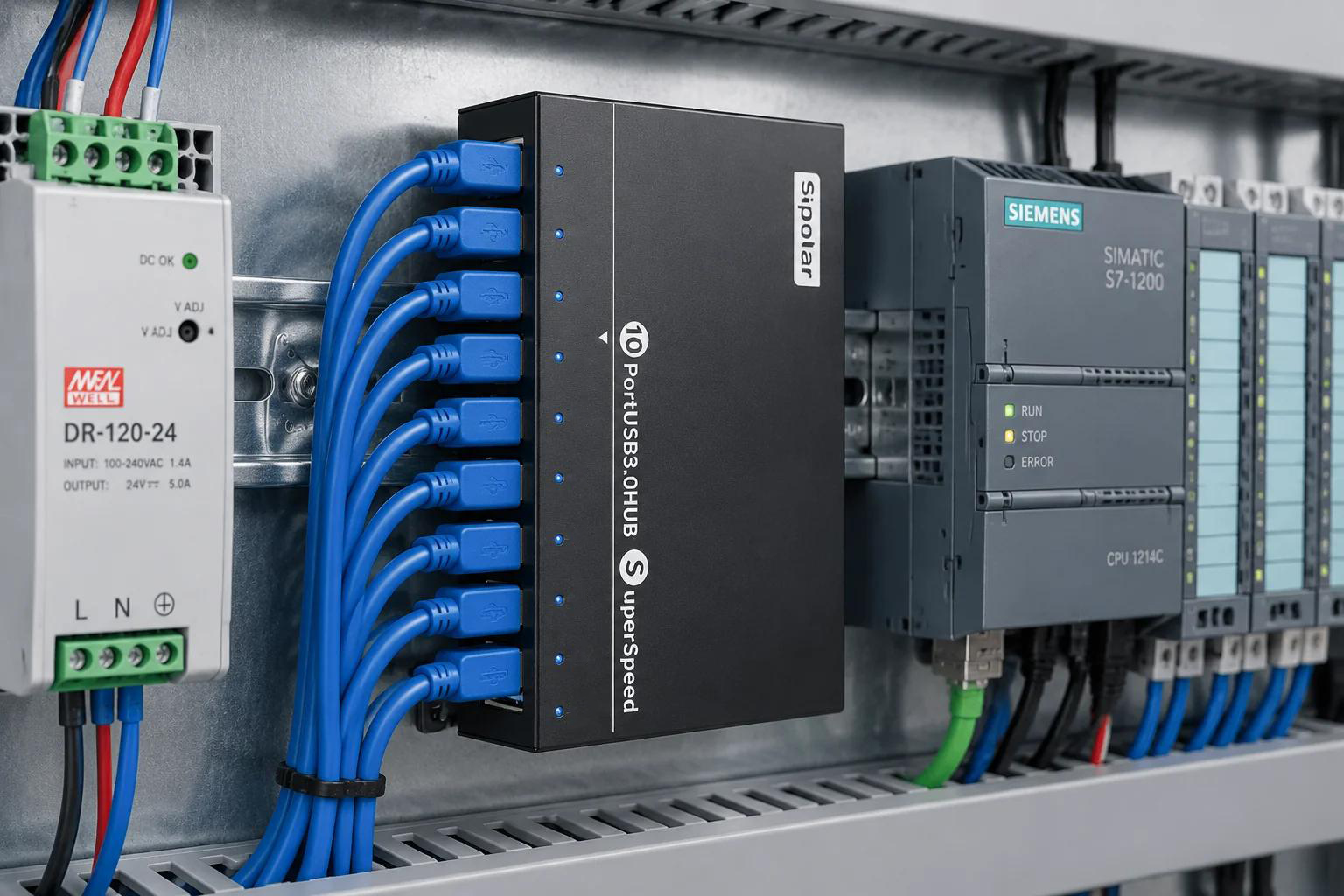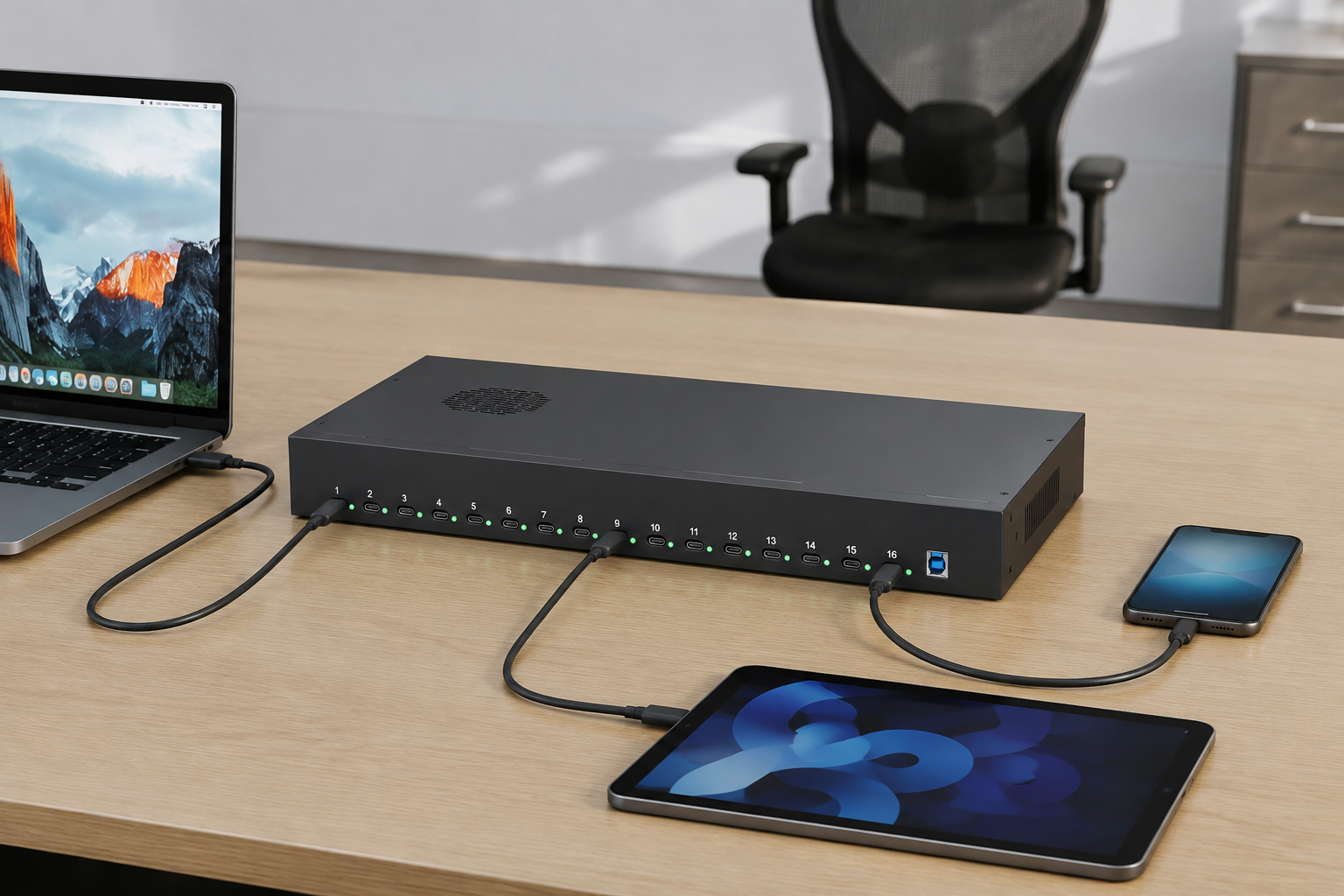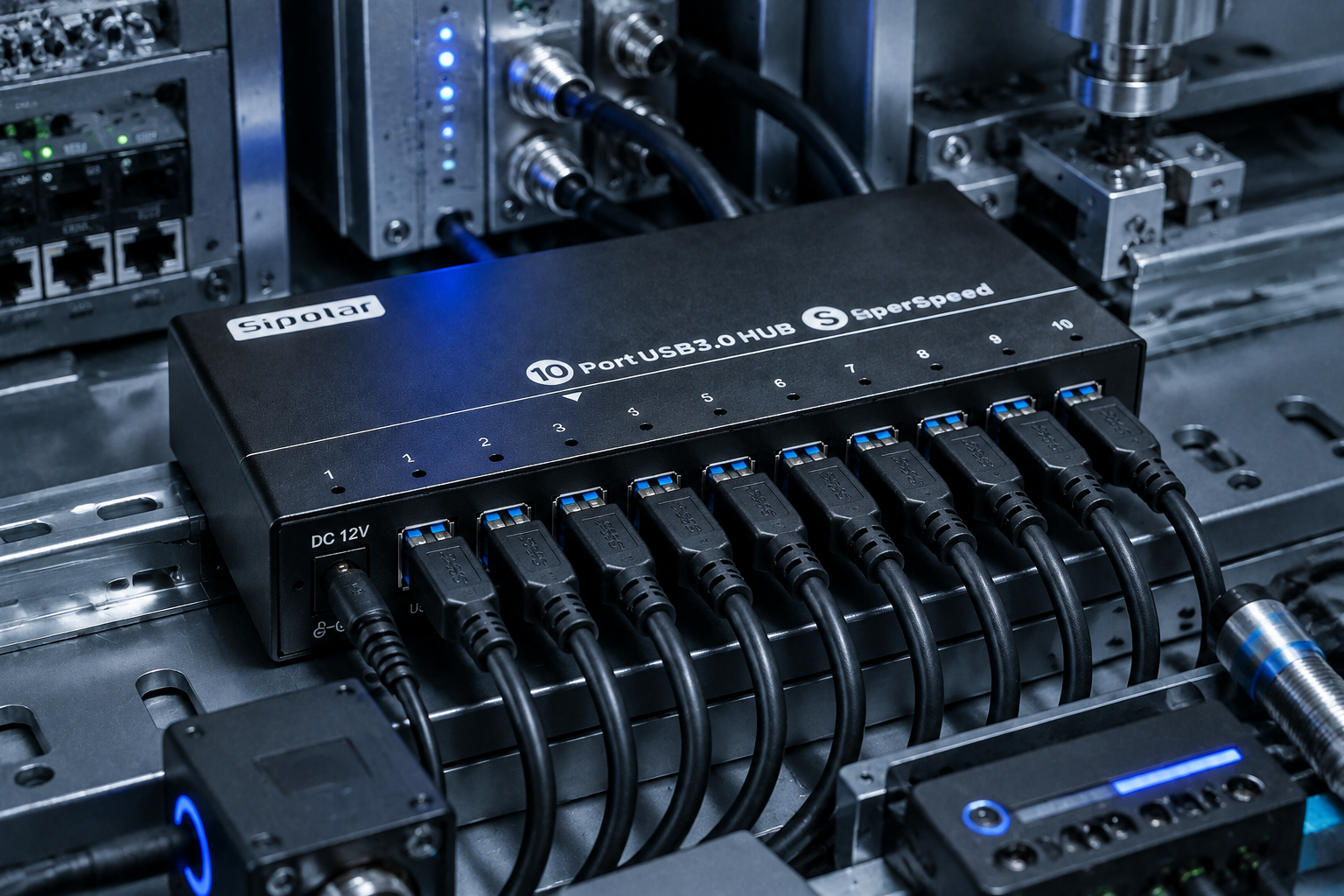
In automation equipment, control cabinets, AGVs, CNC machines, and inspection systems, the supply voltage is often not the standard 5V – 12V or 24V DC buses are the norm. Consumer‑grade USB hubs are designed for 5V only; in these scenarios they either cannot be powered at all, or they force you to add a DC‑DC step‑down converter – adding cost, reducing reliability, and wasting valuable space.
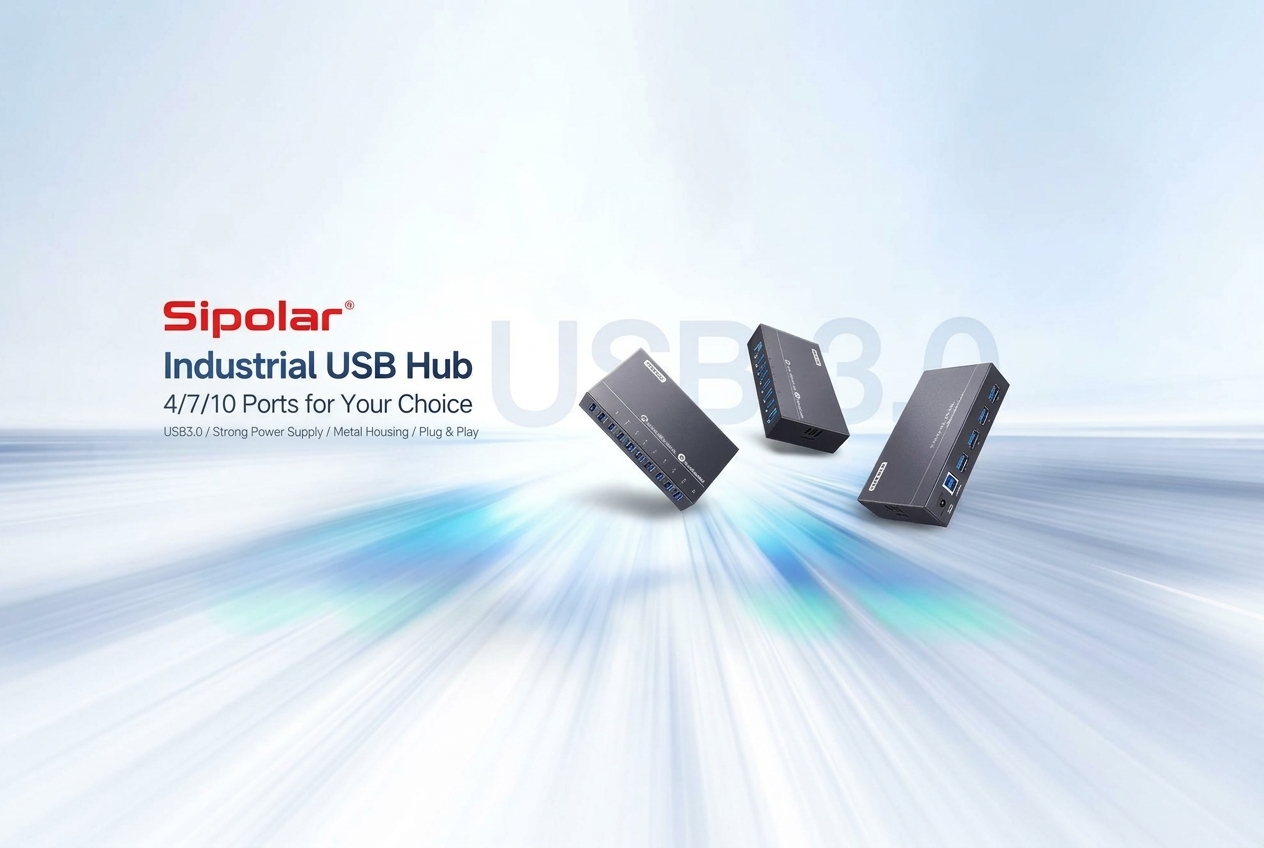
That’s exactly why the Sipolar AT‑4U30M2 (4‑port USB 3.0 hub) and AT‑7A30M1 (7‑port USB 3.0 hub) were created: to connect directly to the native power supply on the factory floor, plug‑and‑play, stable, and dropout‑free.
1. What Is Wide‑Voltage Input, and How Is It Different from Ordinary Hubs?
Typical consumer USB hubs use one of these power schemes:
- Bus‑powered hubs: draw 5V/500mA from the computer’s USB port – insufficient for power‑hungry devices.
- Self‑powered consumer hubs: use an external 5V/2A~5V/5A adapter – but still support only a single fixed voltage.
A 9‑24V wide‑voltage hub, on the other hand, integrates a built‑in DC‑DC buck converter that automatically regulates any input between 9V and 24V down to a stable 5V output for the USB ports.
This delivers three clear benefits:
1.Extreme compatibility – directly tap into 12V or 24V industrial power supplies without an extra adapter.
2.High tolerance to voltage fluctuations – industrial power can be noisy; the wide‑range design handles ±20% or more variation with ease.
3.Reduced clutter – eliminate separate DC‑DC modules, freeing up cabinet space and simplifying cabling.
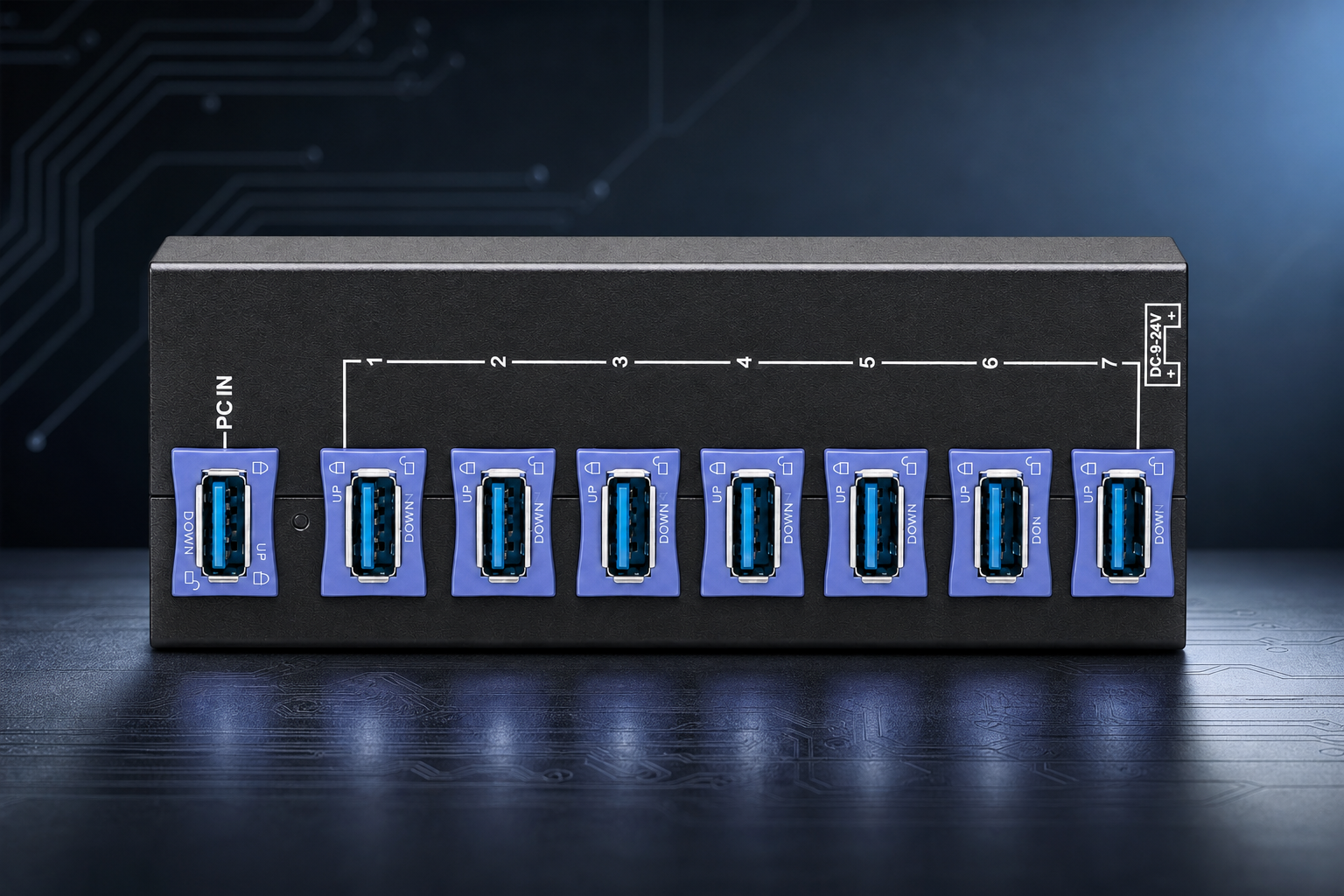
2. Anti‑Loosening Design: No More Glue – A Blue Clip Does the Job
Beyond wide‑voltage input, these two products also feature a critical keyword: “anti‑loosening”.
In automated equipment, vibration, movement, robotic arm action, and AGV travel are everyday realities. Ordinary USB plugs easily work loose, make poor contact, and drop out under such conditions. Many engineers used to resort to gluing the USB plugs in place – effective against loosening, but a nightmare for maintenance, damaging both ports and cables.
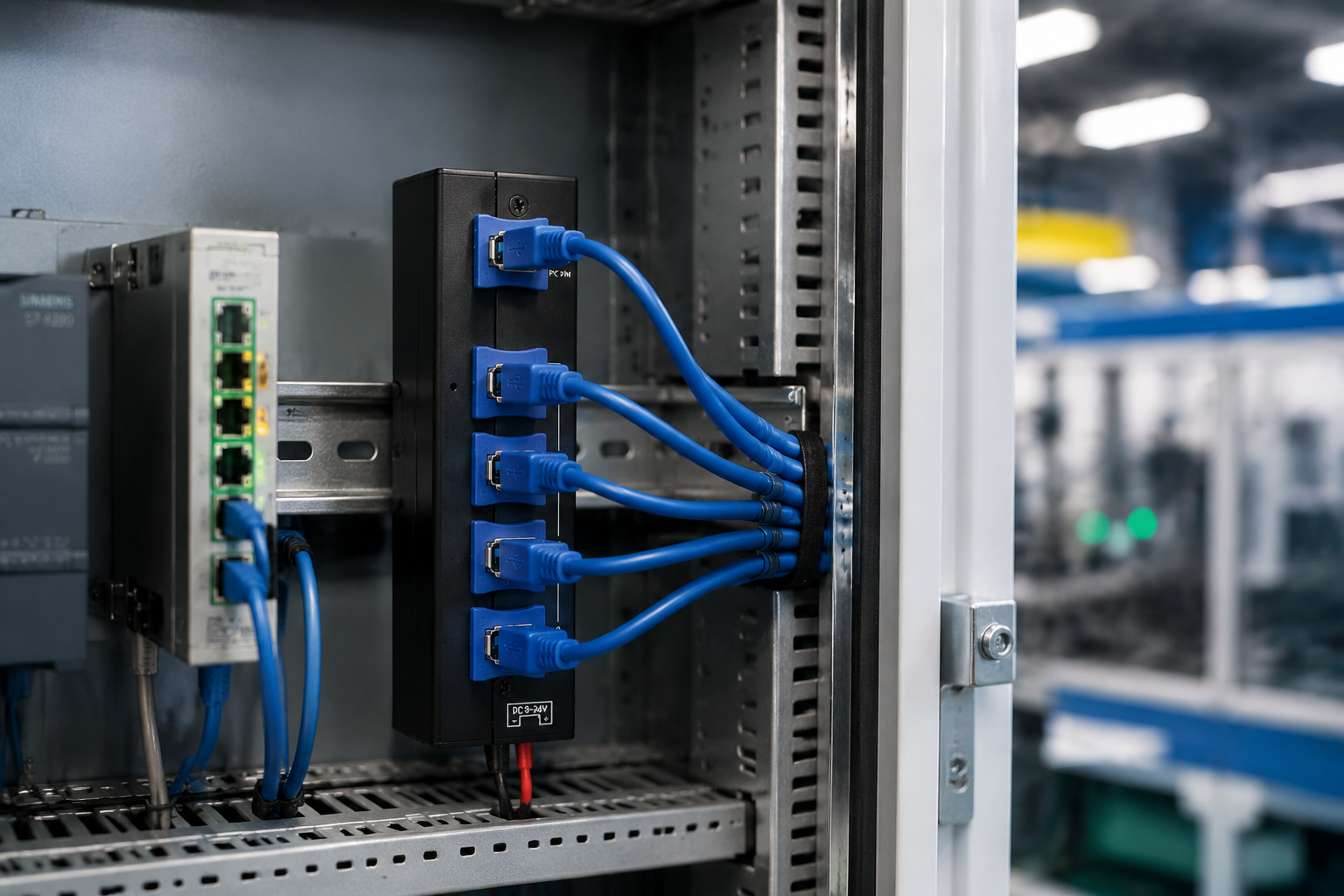
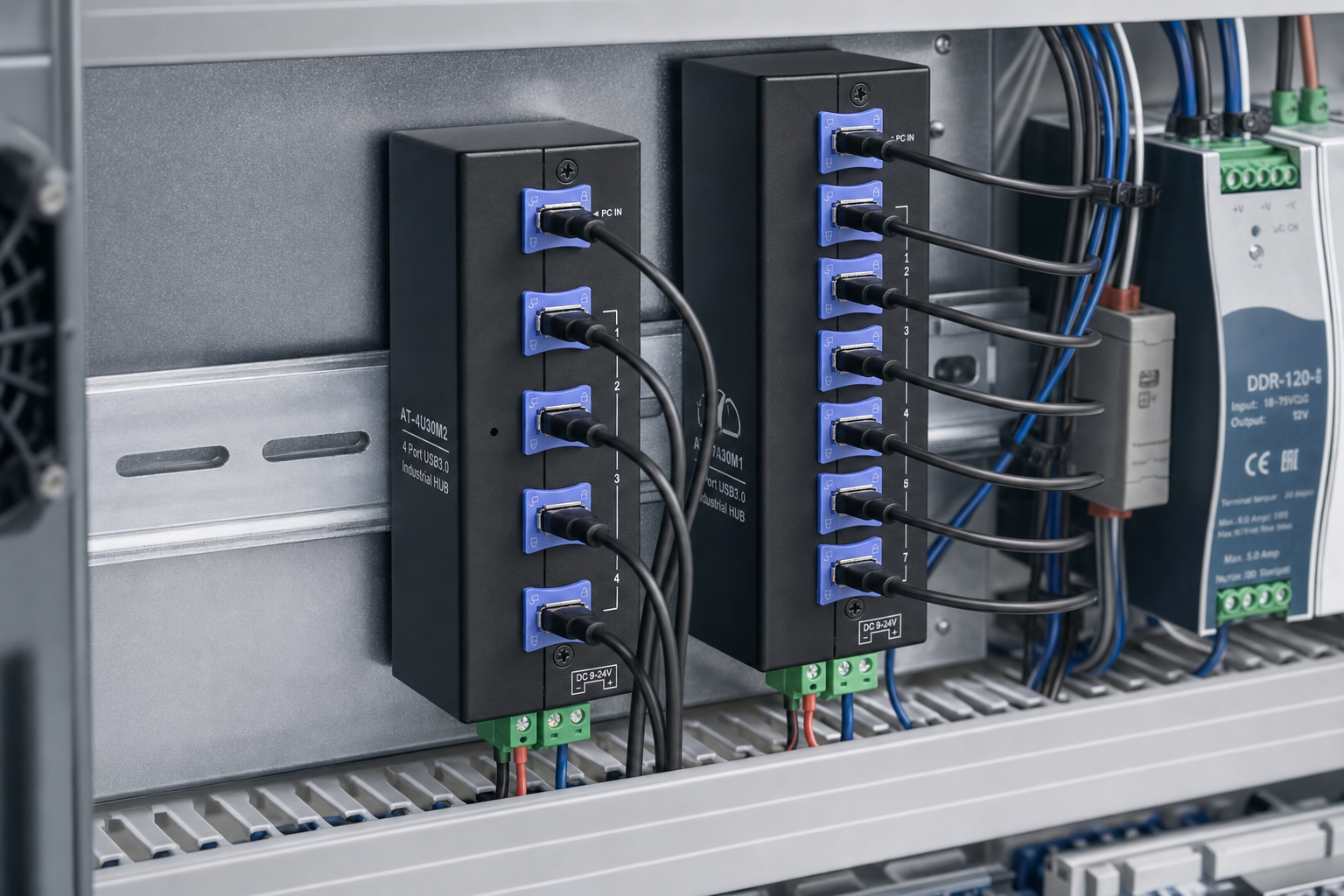
The AT‑4U30M2 and AT‑7A30M1 include a built‑in blue locking clip inside every USB‑A port. It’s incredibly straightforward:
1.Insert the USB cable normally.
2.Flip the blue clip upward – it automatically engages with the metal shell of the USB plug.
3.The cable is now mechanically locked – no glue, no extra parts.
To release, simply press the clip back down and pull the cable out – reusable indefinitely.
The benefits are obvious:
- No glue – save time and material costs; faster assembly.
- Serviceable – unplugging for maintenance or upgrades is quick, no scraping off adhesive.
- Vibration‑proof – the mechanical lock stays secure even under shaking or tension.
- Cable‑friendly – unlike zip ties or screws, it doesn’t crush or damage the cable insulation.
In short: what used to be a makeshift glue fix is now an industrial‑grade, professional solution – the blue clip.
3. Power Interface Details: How Do You Connect 9‑24V Wide Voltage?
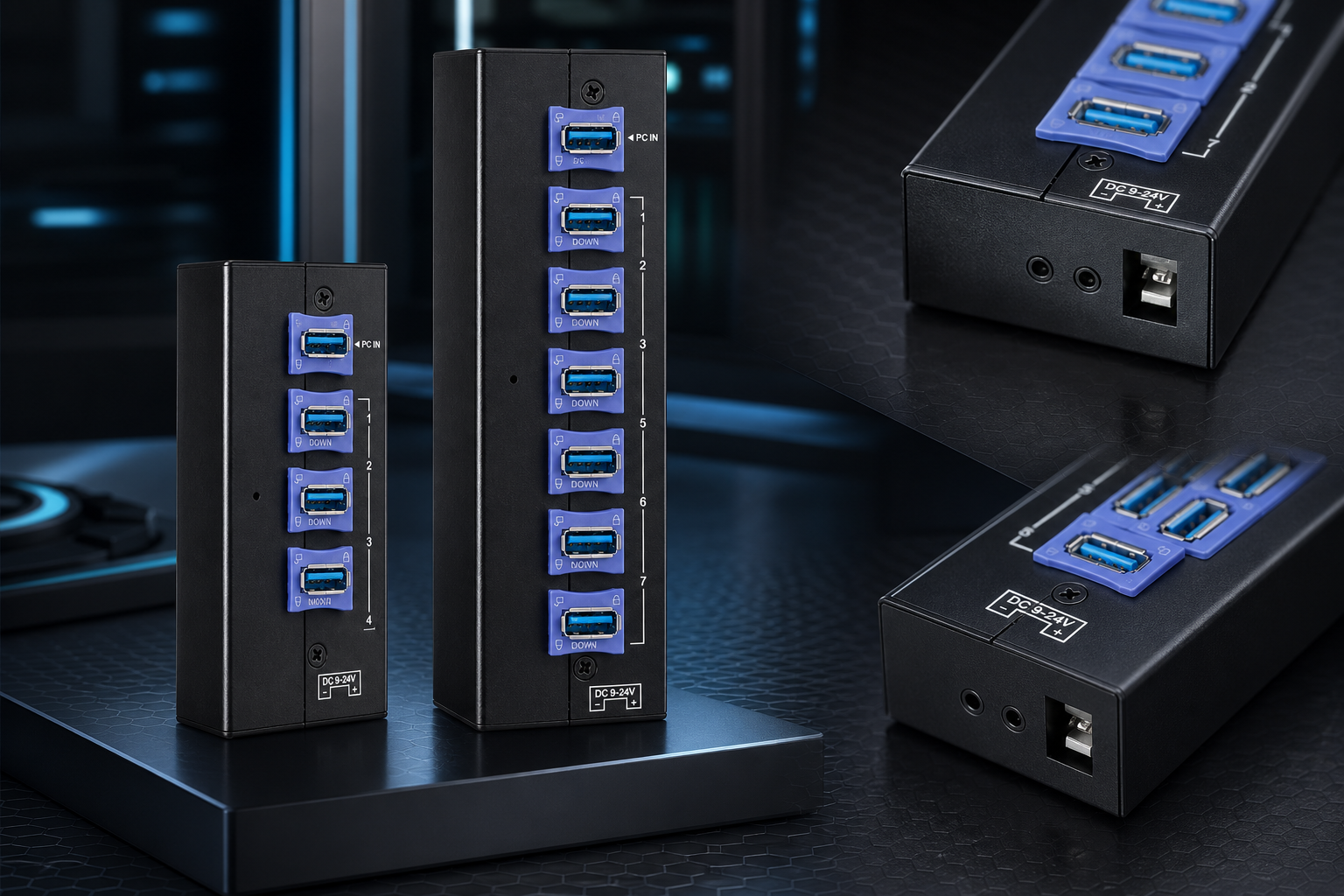
The side of the hub features a standard DC power jack, clearly marked with “DC 9‑24V” silk‑screening for easy identification on site.
Connection options are flexible:
- Control cabinet with a 12V DC bus → plug it in directly.
- On‑site 24V switch‑mode power supply → plug it in directly.
- Vehicle/AGV systems (typically 12~19V) → plug it in directly.
No need to buy a separate 5V adapter, and no worries about connecting the wrong voltage – anything within the wide range works safely.
Inside, the power management IC includes overcurrent protection, short‑circuit protection, and reverse‑polarity protection, so even if you reverse the positive and negative leads, the hub won’t burn out – giving maintenance teams peace of mind.
4. Which One to Choose? It Depends on How Many Devices You Need to Connect
AT‑4U30M2 – 4‑Port USB 3.0 Hub
- Ports: 4 USB‑A 3.0 ports, each with a blue anti‑loosening clip.
- Voltage: 9‑24V wide input.
- Best for: Small‑scale industrial controls, robot end‑effectors, inspection instruments, AGV navigation modules.
- Advantage: Compact size, friendly for space‑constrained cabinets.
AT‑7A30M1 – 7‑Port USB 3.0 Hub
- Ports: 7 USB‑A 3.0 ports, each with a blue anti‑loosening clip.
- Voltage: 9‑24V wide input.
- Best for: Medium to large automation lines, multi‑sensor data acquisition, multi‑camera vision systems.
- Advantage: Handles up to 7 devices in one hub, reducing signal degradation from daisy‑chaining multiple hubs.
Selection logic is simple:
- 4 or fewer USB devices → AT‑4U30M2.
- 5 to 7 USB devices → AT‑7A30M1.
- More than 7 → consider a 10‑port+ industrial hub.
5. Typical Applications: These Industries Are Using Wide‑Voltage + Anti‑Loosening Hubs
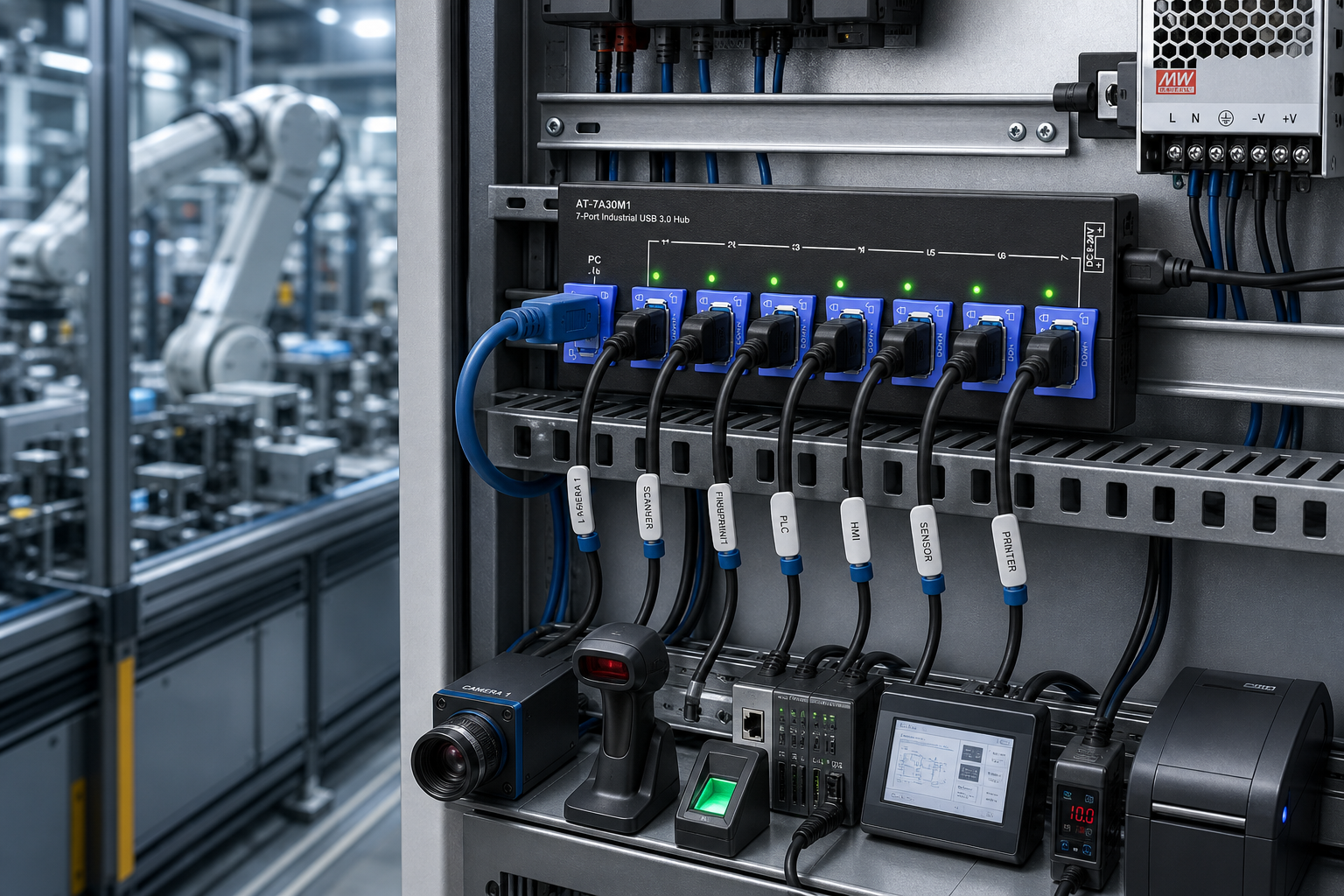
1.Automation production lines
Connect industrial cameras, barcode scanners, fingerprint sensors, and PLC debug ports for centralised data collection.
2.AGVs / mobile robots
Powered directly from the vehicle’s 12V/24V system, with locking clips to withstand movement and vibration.
3.CNC machine tools
Draw 24V from the machine control cabinet, expand USB probes, gauges, and data feedback devices.
4.Medical diagnostic equipment
Endoscopes, biochemical analysers, imaging devices that require stable USB expansion.
5.Military & special‑purpose equipment
Wide‑voltage compatibility with multiple power systems, and anti‑loosening for harsh environments.
6.AOI optical inspection machines
Multiple cameras connected simultaneously, needing strong power delivery and stable channels.
7.Laboratory & research setups
Data acquisition cards and sensor arrays running continuously over long periods.
6. Q&A – Frequently Asked Questions
Q: What does a 9‑24V wide‑voltage hub mean?
A: It means the hub accepts any DC input from 9V to 24V, allowing direct connection to industrial 12V/24V power supplies without an extra DC‑DC converter.
Q: What is the purpose of an anti‑loosening USB hub?
A: Each USB port has a built‑in blue clip. After inserting the cable, flip the clip up to mechanically lock the plug – eliminating the need for glue and preventing disconnections caused by vibration.
Q: Can the locking clip be reused?
A: Yes. The blue clip supports unlimited cycles of locking and releasing without affecting port life, making maintenance and cable swaps easy.
Q: What’s the difference between the AT‑4U30M2 and AT‑7A30M1?
A: The key difference is the number of ports – 4 for small setups, 7 for medium‑to‑large multi‑device scenarios. All other features are identical.
Q: Can a wide‑voltage hub be powered by a standard 5V supply?
A: No. The input range starts at 9V; supplying less than 9V will not allow normal operation. Always follow the marked voltage guidelines.
Q: How do industrial USB hubs differ from consumer ones?
A: Industrial hubs offer wide‑voltage input, anti‑loosening clips, independent channels, interference shielding, and industrial‑grade components – consumer hubs are only designed for desktop use.
7. Conclusion
Back to the opening question: What does a 9‑24V wide‑voltage hub mean?
In one sentence: It’s a USB expansion device purpose‑built for industrial 12V/24V power systems – connect directly to the native voltage, no more DC‑DC modules to fiddle with. Add the blue‑clip anti‑loosening design – plug in, flip, and lock – and you can finally say goodbye to glue‑based fixes. Stability far surpasses that of ordinary consumer hubs.
The Sipolar AT‑4U30M2 (4‑port) and AT‑7A30M1 (7‑port) cover the vast majority of USB expansion needs in industrial automation, from small controls to large production lines – they are a go‑to choice for engineers building industrial USB integration solutions.
How are you currently connecting USB devices in your automation setup? Have voltage mismatches or loose connectors ever caused you trouble? We’d love to hear your field experiences – feel free to reach out or leave a comment.
For detailed specifications, application guides, and more, visit www.sipolar.com.